
Table of Contents
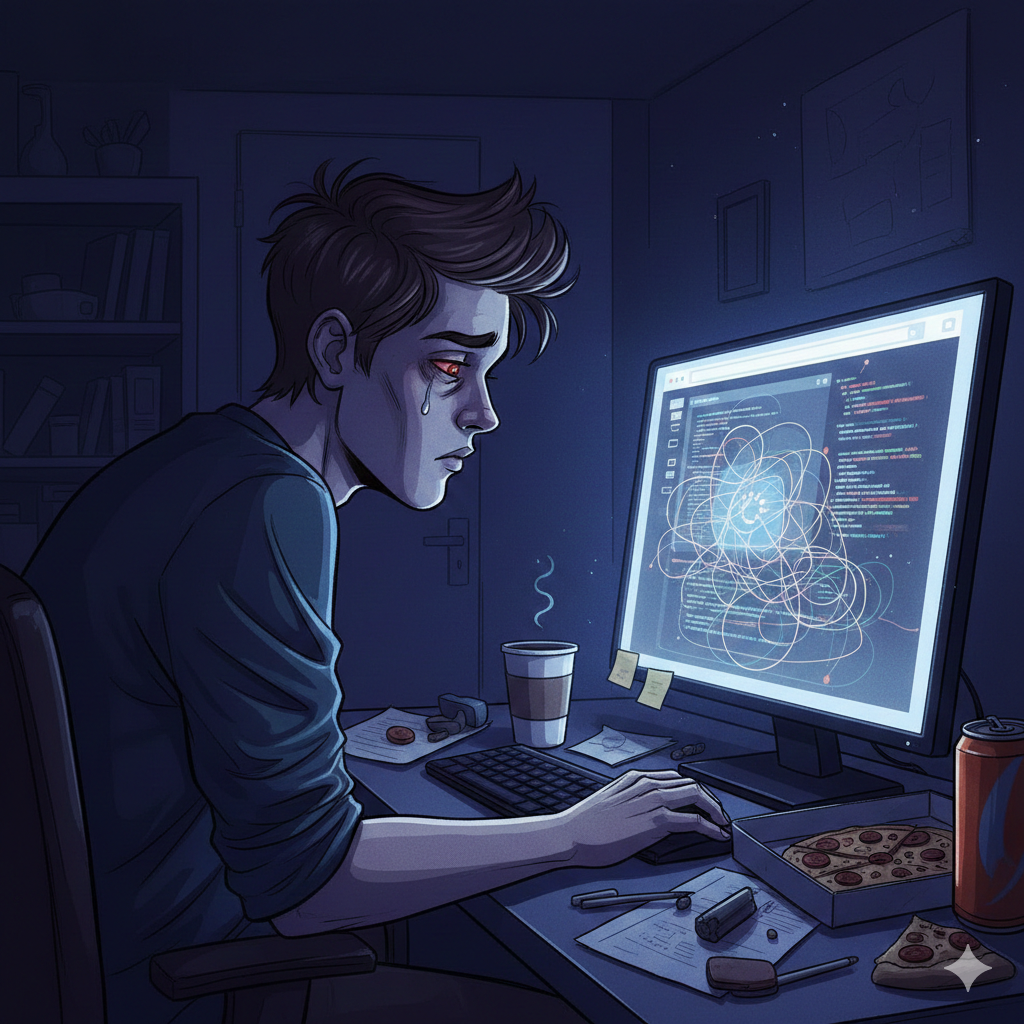
In our digital-first world, most of us spend the majority of our waking hours staring at screens. Whether it’s for work, education, or entertainment, our eyes are constantly glued to laptops, smartphones, and tablets. While this connectivity is convenient, it comes at a physical cost known as Computer Vision Syndrome (CVS), also referred to as Digital Eye Strain.
What is Computer Vision Syndrome?
Computer Vision Syndrome is not a single eye problem. Instead, it encompasses a whole range of eye strain and pain experienced by computer users. Research shows that between 50% and 90% of people who work at a computer screen have at least some symptoms.
Unlike reading a printed page, the characters on a digital screen often don’t have the same degree of contrast or definition. The presence of glare and reflections can also make viewing difficult, forcing our eyes to work harder to maintain focus.
The Negative Impact of Digital Overload
Ignoring the symptoms of Computer Vision Syndrome can lead to a decline in workplace productivity and chronic physical discomfort. Common negative effects include:
- Persistent Headaches: Caused by the eyes constantly readjusting to screen glare.
- Chronic Dryness: We blink 66% less when looking at screens, leading to “gritty” eyes.
- Mental Fatigue: The brain works harder to process pixelated text, leading to exhaustion.
7 Positive Strategies to Prevent Computer Vision Syndrome

To protect your vision, implement these seven expert-recommended strategies:
1. Master the 20-20-20 Rule
This is the gold standard of eye care. Every 20 minutes, take a break for 20 seconds and look at an object 20 feet away. This simple habit breaks the constant tension in your eye’s focusing muscle.
2. Optimize Your Digital Ergonomics
Your monitor should be 20 to 28 inches away from your face. The center of the screen should be about 4 to 5 inches below eye level. This angle reduces the strain on your neck and the surface area of the eye exposed to air, reducing dryness.
3. Eliminate Harsh Glare
Glaring light from windows or overhead lamps makes your eyes strain to see the screen. Use anti-glare filters or close the blinds to create a balanced lighting environment.
4. Adjust Display Settings
Make the following tweaks to your device:
- Brightness: Match the screen brightness to your surrounding environment.
- Text Size: Increase the font size so you don’t have to lean forward.
- Color Temperature: Reduce blue light output, especially in the evening.
5. Practice “Purposeful Blinking”
Remind yourself to blink fully. This spreads tears across the eye, preventing the redness and irritation associated with long-term computer use.
6. Use Computer Eyewear
If you wear glasses, ask your optometrist about blue light blocking lenses or specialized computer prescriptions that optimize focus specifically for screen distances.
7. Schedule Regular Eye Exams
Minor vision problems like astigmatism or farsightedness can worsen CVS. A professional check-up ensures your prescription is up to date for digital work.
The 10-Minute Eye Workout: 5 Exercises to Restore Your Vision
If you feel your eyes “locking” into a fixed focus after hours of work, these exercises act like a reset button for your ocular muscles. Spend 5 to 10 minutes on these every afternoon.
1. The Figure Eight (2 Minutes)
This exercise increases the flexibility of your eye muscles.
- Imagine a large number 8 turned on its side (an infinity symbol) on the floor about 10 feet in front of you.
- Slowly trace the shape with your eyes without moving your head.
- Trace it in one direction for a minute, then switch to the other direction.
2. Near and Far Focusing (2 Minutes)
This strengthens the ciliary muscles that help you focus.
- Hold your thumb about 10 inches from your face and focus on it.
- After 5 seconds, shift your gaze to something 20 feet away.
- Switch back and forth 10 times.
3. The “Palming” Technique (3 Minutes)
This is a yogic technique used to soothe the optic nerve.
- Rub your palms together vigorously until they feel warm.
- Close your eyes and place your cupped palms over them (do not press on the eyeballs).
- Imagine total darkness and breathe deeply. The warmth and dark help the eyes recover from light overstimulation.
4. Eye Rolling (1 Minute)
Simple but effective for relieving tension.
- Look up as high as you can, then slowly circle your eyes clockwise 5 times.
- Repeat the process counter-clockwise 5 times.
5. Directional Stretching (2 Minutes)
- Look up for 3 seconds, then down for 3 seconds.
- Look to the far left, then the far right.
- Finally, look diagonally from top-left to bottom-right, then top-right to bottom-left.
Expert-Guided Eye Relief Routine by Dr. Adam Fields In this video, Dr. Adam Fields demonstrates a comprehensive self-care routine specifically designed for those suffering from Computer Vision Syndrome.
Why These Exercises Work for Computer Vision Syndrome
By moving your eyes through their full range of motion, you are preventing the “stiffening” that occurs when we stare at a fixed distance for too long. These movements stimulate blood flow and natural lubrication, effectively reversing the negative physical strain caused by digital screens.
Fuel Your Vision: Best Foods for Digital Eye Strain
What you eat is just as important as how you sit. To combat the negative oxidative stress caused by blue light, incorporate these positive superfoods into your diet:
- Leafy Greens (Spinach & Kale): These are packed with Lutein and Zeaxanthin. These antioxidants act as a “natural sunblock” for your eyes, absorbing harmful high-energy light waves.
- Fatty Fish (Salmon & Tuna): Rich in Omega-3 fatty acids, these are essential for maintaining the moisture level of your eyes and preventing “gritty” dry eye symptoms.
- Orange Vegetables (Carrots & Sweet Potatoes): High in Vitamin A and Beta-carotene, they support the health of the cornea and help you see better in low-light conditions.
- Citrus Fruits (Oranges & Lemons): Vitamin C is a powerful antioxidant that helps repair damaged eye tissues and lowers the risk of developing cataracts.
- Nuts and Seeds (Almonds & Chia): These provide Vitamin E, which protects eye cells from unstable molecules known as free radicals.
Eat for Your Eyes: 2 Quick Recipes to Fight Digital Strain
You don’t need a lot of time to prepare meals that support your vision. Here are two “Eye-Power” recipes featuring the superfoods mentioned above.
1. The “Vision-Boost” Salmon Salad
A perfect lunch for remote workers to combat dry eyes with Omega-3s and Lutein.
- Ingredients:
- 1 fillet of Grilled Salmon (Omega-3s)
- 2 cups Fresh Spinach or Kale (Lutein & Zeaxanthin)
- 1/2 Avocado (Healthy fats for nutrient absorption)
- A handful of Walnuts or Sunflower Seeds (Vitamin E)
- Dressing: Lemon juice and Olive oil (Vitamin C)
- Instructions: Toss the greens in the dressing, top with the flaked salmon, sliced avocado, and seeds. The combination of Vitamin C and healthy fats helps your body absorb the eye-protecting antioxidants in the greens.
2. The “Digital Detox” Smoothie
An easy breakfast or snack to nourish your retinas.
- Ingredients:
- 1 small Carrot, finely grated (Vitamin A)
- 1 cup Frozen Mango or Orange slices (Vitamin C)
- 1/2 cup Greek Yogurt or Almond Milk
- 1 tbsp Chia Seeds (Omega-3s)
- A pinch of Ginger (Anti-inflammatory)
- Instructions: Blend all ingredients until smooth. This vibrant orange drink is loaded with beta-carotene, which is essential for maintaining a healthy cornea and preventing the “night blindness” often associated with digital fatigue.
Frequently Asked Questions (FAQ)
Q1: Can Computer Vision Syndrome cause permanent eye damage? Generally, no. CVS is typically temporary. Symptoms usually subside once you reduce screen time or improve your workspace ergonomics. However, if left unmanaged, it can lead to chronic discomfort and decreased productivity.
Q2: Do blue light glasses actually work for CVS? While the primary cause of CVS is the way we focus on screens (not just the light), many users find that blue light glasses reduce glare and improve contrast, which helps minimize eye fatigue during long work sessions.
Q3: How do I know if my headache is caused by my computer? If your headache typically starts after several hours of screen work and is accompanied by blurred vision or dry eyes—and if it improves after you step away from the device—it is likely related to Digital Eye Strain.
Q4: Is it better to work in a dark room or a bright room? Neither extreme is good. You should avoid working in a dark room with a bright screen (high contrast causes strain). Aim for balanced, ambient lighting that matches the brightness of your monitor.
Q5: At what point should I see a doctor? If you experience persistent double vision, severe eye pain, or vision changes that do not go away after rest, schedule an appointment with an optometrist immediately.
Conclusion: Protecting Your Vision in a Digital World
While technology has transformed the way we live and work, the negative impact of persistent screen time on our ocular health cannot be ignored. Computer Vision Syndrome is a modern-day challenge, but as we’ve explored, it is one you have the power to overcome.
By integrating 7 positive lifestyle changes—from optimizing your workspace ergonomics and practicing a 10-minute eye workout to fueling your body with eye-boosting superfoods—you can significantly reduce digital strain and protect your long-term vision. Remember, your eyes are your most important windows to the world; treating them with care is an investment in your overall quality of life.
Don’t wait for the pain to return. Start implementing the 20-20-20 rule and try one of our eye-healthy recipes today to keep your vision sharp, clear, and fatigue-free.
If you found this helpful, you might also want to check out my other post : The 5-Minute “Desk Relief” (Office/Sitting) to Supercharge Your Metabolism